
WooCommerce product images, handled.
Turn a supplier's URL into a finished product gallery.
Paste a product-page link, pick the shots you want, and Pull Product Images downloads them straight into WooCommerce: featured image, gallery, alt text and tidy filenames.
$29.99 per year · One-click checkout via Freemius · A full year of updates and support
Reads product pages on these platforms and most other stores.
- Shopify
- Magento
- BigCommerce
- Squarespace
- WooCommerce
The problem
Building a catalog by hand is death by a thousand clicks.
For every product, the same ritual:
-
01
Right-click and save each image, then hunt for the full-resolution version instead of the thumbnail.
-
02
Upload them all to the Media Library.
-
03
Rename the cryptic files so they're not IMG_4821.jpg.
-
04
Set the featured image, then drag the rest into the gallery in order.
-
05
Now do it again. And again. Two hundred more times.
How it works
Three steps, one screen.
-
1
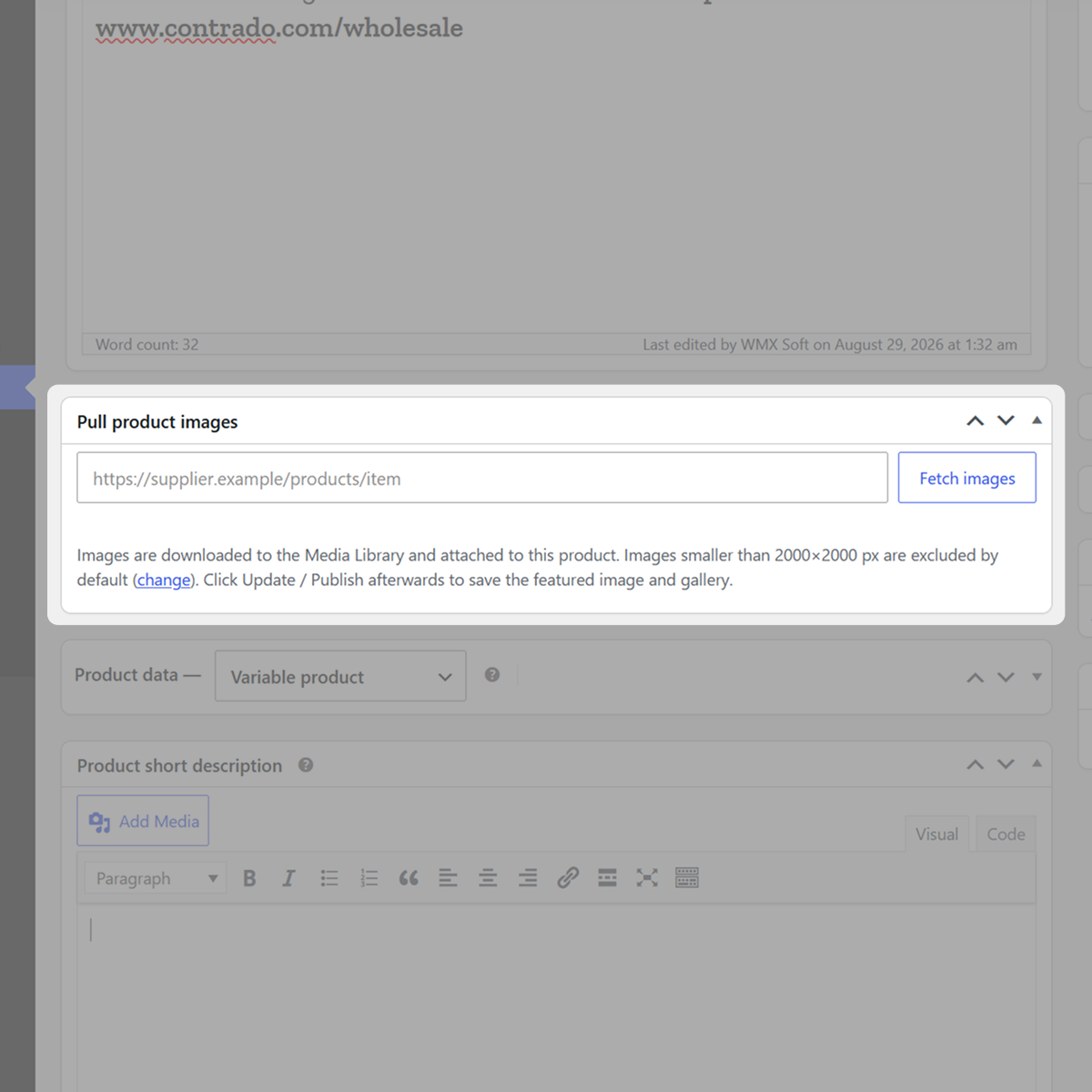
Paste the URL
Drop the supplier's product-page link into the box on the WooCommerce product editor and hit Fetch images.
-
2
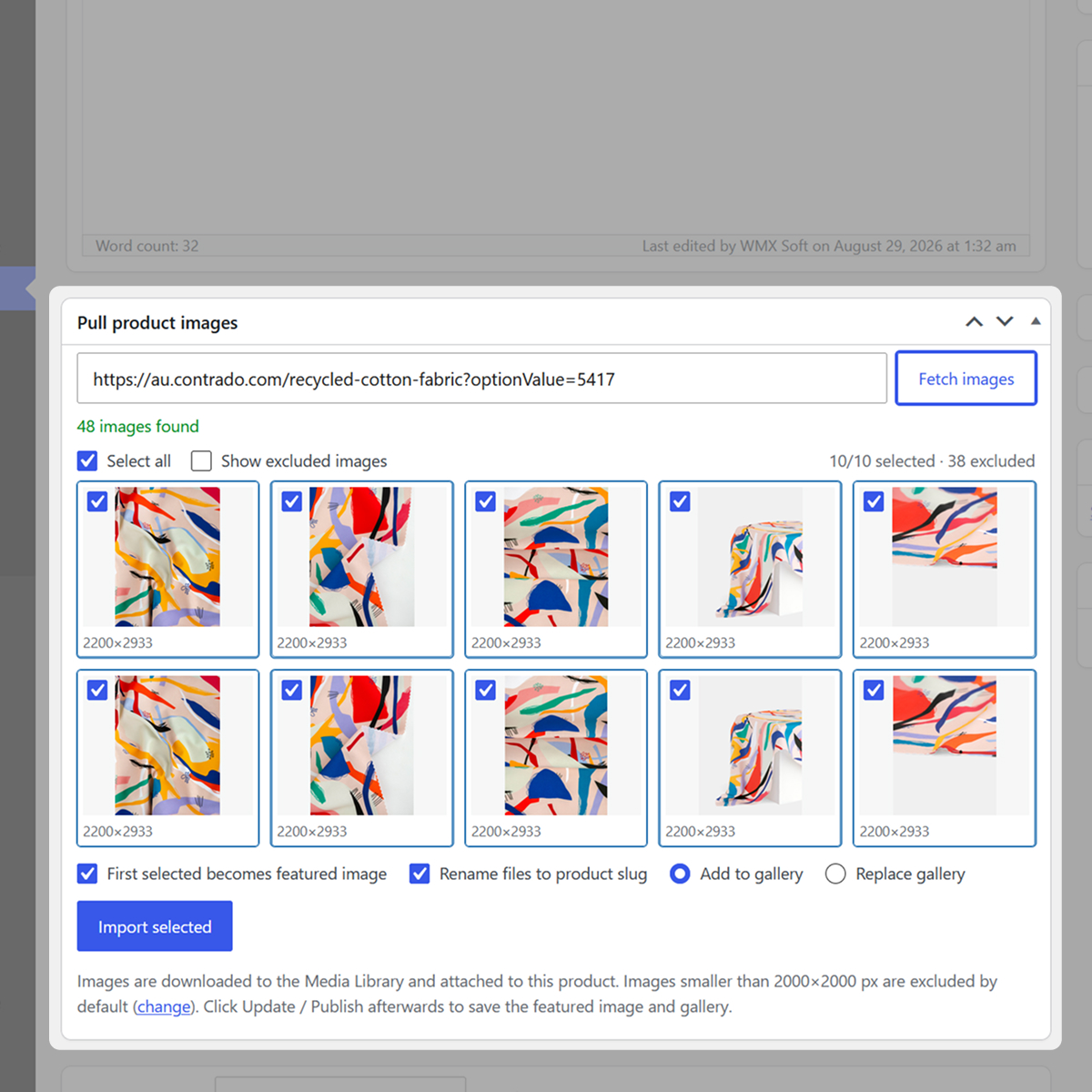
Pick your images
See every image at its real resolution. Logos, icons and undersized junk are filtered out. Tick the ones you want.
-
3
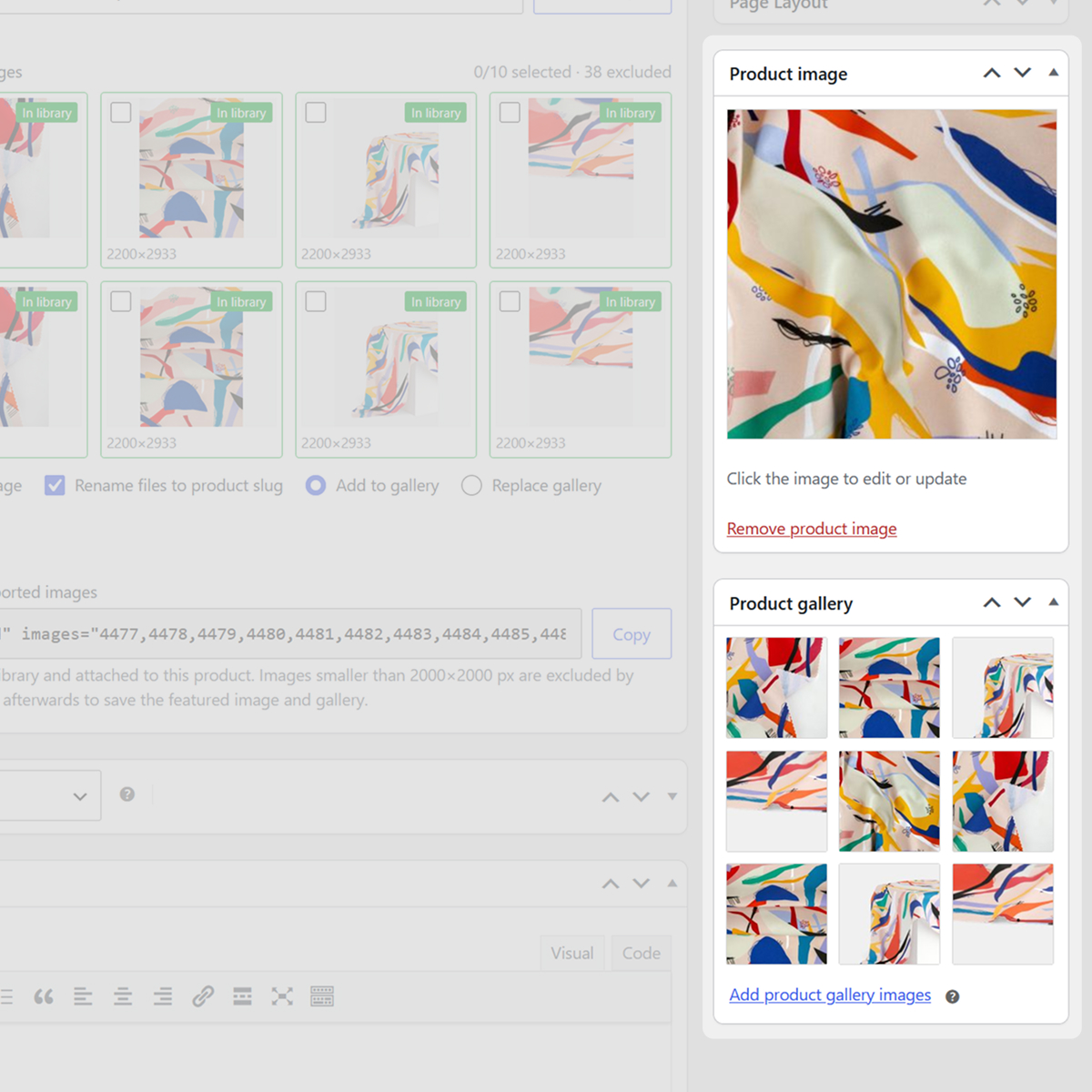
Import
One click. Images land in the Media Library, attached to the product as the featured image and gallery, with alt text and clean filenames.
Features
Every detail you would otherwise fix by hand.
Who it's for
-
Dropshippers & resellers
Stand up product pages from supplier catalogs in minutes, not evenings.
-
Agencies & builders
Bill fewer hours on data entry and more on the work clients actually see.
-
Store migrations
Moving a catalog to WooCommerce? Pull the imagery straight from the old store.
Demo
Watch a gallery fill itself.
Pricing
Start free. Go Premium when you're ready.
The free plugin fetches and hand-imports images. Premium adds the automation and scale, one paid plan, no locked add-ons, no per-import limits, no upsell tier.
Free
No sign-up$0 forever
- ✓Fetch every image from a supplier's URL.
- ✓Resolve thumbnails to full-resolution originals.
- ✓See each image's real dimensions before importing.
- ✓Automatic junk filtering: logos, icons, page clutter.
- ✓Hand-pick and import to the gallery, alt text and all.
- ✓Safe re-imports, never downloads the same file twice.
Premium
Annual licence
$29.99 / year
- ★Everything in Free, plus:
- ✓Auto-set the featured image from your first pick.
- ✓Replace-gallery mode and finer gallery controls.
- ✓Size-filter slider plus a configurable minimum size.
- ✓Select-all, drag-to-select, rename files to the product slug.
- ✓Remembers your preferences between imports.
- ✓A year of updates in wp-admin, email support, 1 website.
Secure checkout via Freemius.
Guarantee. Because it's a digital download we don't offer refunds as a rule, but if you change your mind before downloading, we'll refund you in full within 14 days.
FAQ
Answers before you buy.
-
{{ item.a }}
{{ item.linkText }}

Built and maintained by WEB MATRIX
Updates and email support come from the team that writes the plugin.
Fill your catalog without filling your evenings.
From supplier URL to finished WooCommerce gallery in a few clicks.
Get Pull Product Images · $29.99/yr